Showing posts with label ios 5. Show all posts

Thursday, April 5, 2012

'Rude awakening' for Mac users: serious Mac flaw needs urgent fix

from smh.com.au

Apple has released an urgent patch that will fix a security hole in its Mac operating system that has allowed some 30,000 Mac computers in Australia and more than 500,000 worldwide to be infected with malicious software (malware ).
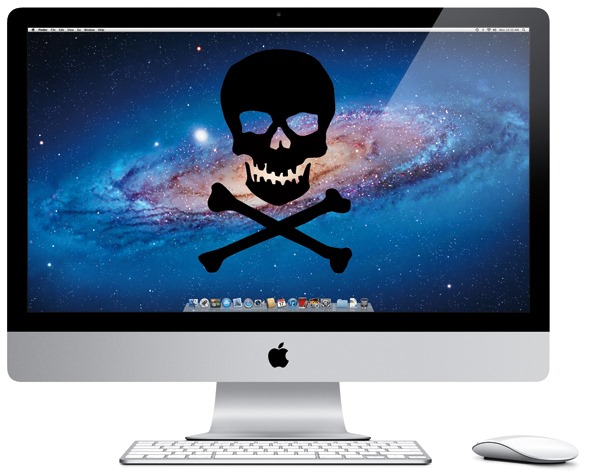
The critical update to Apple's version of Java for Mac OS X plugs at least a dozen security holes in the program and mends a flaw that attackers have recently pounced on to broadly deploy a malicious software program, known as Flashback Trojan, both on Microsoft's Windows and Apple's Mac operating systems.
Flashback Trojan's most recent variant (it has been around since 2011) self installs after users visit legitimate websites that have been infected to distribute the program - a process known as drive-by download. Once installed, the malware sniffs data traffic from the computer in search for user names and passwords.
The update , Java for OS X Lion 2012-001 and Java for Mac OS X 10.6 Update 7, sews up an extremely serious security vulnerability (CVE-2012-0507 ) that miscreants recently rolled into automated exploit kits  designed to deploy malware to Windows users. But in the past few days, information has surfaced to suggest that the same flaw has been used with great success by the Flashback Trojan  to infect large numbers of Mac computers with malware.
The revelations come from Russian security firm Dr.Web, which reports that the Flashback Trojan has successfully infected more than 550,000 Macs (hat tip to Adrian Sanabria  who wrote on his blog "(...) many Mac users have been lured into a false sense of security, and will be, or may already be, in for a rude awakening. Apple's marketing efforts are at least partially responsible for this."). Dr.Web's post is available in its Google translated version here.
Flashback is an increasingly sophisticated malware strain that sniffs network traffic in search of user names and passwords. Early versions of it prompted Mac users to enter their password before it would run, but the most recent strains will happily infect vulnerable Mac systems without requiring a password, writes Ars Technica , among others. F-Secure has additional useful information on this Trojan attack here .
As Ars notes, although Apple stopped bundling Java by default in OS X 10.7 (Lion), it offers instructions for downloading and installing the Oracle-developed software framework when users access webpages that use it. If you need Java on your Mac only for a specific application (such as OpenOffice), you can unplug it from the browser by disabling its plugin. In Safari, this can be done by clicking Preferences, and then the Security tab (uncheck "Enable Java"). In Google Chrome, open Preferences, and then type "Java" in the search box. Scroll down to the Plug-ins section, and click the link that says "Disable individual plug-ins." If you have Java installed, you should see a "disable" link underneath its listing. In Mozilla Firefox for Mac, click Tools, Add-ons, and disable the Java plugin(s).
Delete Java
I can't stress this point strongly enough: If you don't need Java, remove it from your system, whether you are a Mac or Windows user. If you need further convincing of my reasons for this recommendation, I'd encourage you to browse through some of my past Java-related posts .
Apple maintains its own version of Java, and as with this release, it has typically fallen unacceptably far behind Oracle in patching critical flaws in this heavily-targeted and cross-platform application. In 2009, I examined Apple's patch delays on Java  and found that the company patched Java flaws on average about six months after official releases were made available by then-Java maintainer Sun. The current custodian of Java – Oracle Corp – first issued an update to plug this flaw and others back on February 17. I suppose Apple's performance on this front has improved, but its lackadaisical (and often plain puzzling ) response to patching dangerous security holes perpetuates the harmful myth that Mac users don't need to be concerned about malware attacks.

Friday, February 3, 2012

iOS Less Stable than Android

from forbes.com
OS stability has always been a big concern when choosing which device you’re going to upgrade to. When it comes to the battle between Android and iOS, Apple fanboys would have you believe that their mobile OS is a smooth and steady as an ocean liner, but as history has taught us, some titans — sink. In my talks with friends and acquaintances on why they’ve chosen iOS over Android, I’ve heard everything from, “It just works,” to the argument that “Android is just too fragmented,” or “Apps constantly force close.”
Well, then you would assume that data gathered from Crittercism — a research startup that analyzes mobile app crashes — would show that iOS suffers from fewer, if any, app crashes when compared to Android. Right? Wrong.
Surprisingly,  Crittercism’s data (gathered from more than 214 million app launches between November and December of 2011) shows that apps on iOS crashed much more frequently than comparable apps on Android. Just take a look at that pie graph. It’s easily dominated by iOS, covering nearly 75% of total crashes. Yup. I was just as blown away as you. Numbers don’t lie.
Now, the reasons for these app crashes are numerous. Everything from iOS 5 being new to the market, problems with hardware, internet connectivity, language support, or just plain ‘ol poorly coded apps. It can even be argued that because there are so many more iOS devices than Andr– oh, wait. I almost forgot. There isn’t.
Even with this newly released data, I almost still don’t believe it. Android. With all the talks of fragmentation, force closes and incompatible apps, could somehow turn out to be more stable than iOS? Well, slap my momma and call me Sally. Who’d-a-thunkit. Now, I’m sure this will come off as the flames of an Android fanboy but I assure you, I’m not hating. Just found this information interesting and felt like sharing. Did this data surprise any of you?

Friday, November 11, 2011

Apple's iPhone 4S Battery Troubles Now Joined By New Problems

You still think I'm pretty right???

Apple says it's still investigating battery drain issues with the iPhone 4S after some users complained that the iOS 5.0.1 update didn't solve their problems. But now Apple is facing new gripes that the iOS 5.0.1 update is causing more problems with the iPhone 4S including; microphone failures, Wi-Fi signal loss, and cellular network reception issues, according to reports.
"The recent iOS software update addressed many of the battery issues that some customers experienced on their iOS 5 devices," Apple said in a statement to All Things Digital. "We continue to investigate a few remaining issues."
Apple released iOS 5.0.1 on Thursday, claiming that it would fix iPhone 4S battery drain. The update also added multitouch gestures for the original iPad and fixed a few other issues. While some iPhone users said the update solved their battery problems, others said the battery suckage was just as bad, or worse, than before.

Some users may never be happy with iPhone 4S battery life, because as I've explained before, smartphone batteries are fundamentally sub-par. But Apple is at least confirming that it hasn't completely solved the problem.
Meanwhile, some users are complaining of new problems with iOS 5.0.1. According to GigaOM, some users have experienced microphone failures, Wi-Fi signal loss and cellular network reception issues. A report from The Startup Foundry says the update is forgetting to list contact names when the user receives a text message or phone call. (A partial fix for the latter issue is available on The Startup Foundry's Website.) Apple didn't specify whether these new bugs are part of the "few remaining issues" that the company is investigating now.
On the bright side, whenever Apple does release a new patch, it'll be easy to get thanks to over the air updates.
----------------
OTA updates, you mean like Android has had all along?

Apple iPhone 4S / iOS 5.0.1 battery-life fix FAIL!

from ComputerWorld.com
"He's dead Jim..."
The iPhone 4S battery-life problem doesn't seem to be fixed in the iOS 5.0.1 patch; some users are even complaining that it's worse than before. Has Apple (NASDAQ:AAPL) made a mess of the first OTA update? Many users are still reporting rotten-to-the-core power performance. In IT Blogwatch, bloggers troll frustrated fanbois.
  
Your humble blogwatcher curated these bloggy bits for your entertainment. Not to mention: They shall grow not old, as we that are left grow old: We will remember them... 


Gregg Keizer reports:
iOS 5.0.1 was the first update that Apple delivered "over-the-air"...without requiring users to [plug in] their devices. ... Apple did not spell out the specific battery-related patches.
...
Almost immediately after the launch of the iPhone 4S, owners began reporting that the phone was exhausting its battery at a prodigious rate.
...
[It's] too early for results reports to appear on Apple's support forum..    
  
Oh no it isn't, says Adrian Kingsley-Hughes:
[M]ost...are claiming that the update is a dud, and some [say] it makes the problem worse. ... Apple’s support forum is...abuzz with complaints.
...
It’s hard to find users who are happy with the new update. ... [I]t’s hard to pin down...whether this is a configuration issue, a app issue, or an issue specific to certain handsets.    

Mark Chubb adds:
iOS users who have updated to iOS 5.0.1 and have had their hopes of a better battery life dashed. ... Most complaints [say] battery life is still draining pretty much as it was before.    

And Paul Hontz finds more problems:
My iPhone...no longer remember[s] the names of any of my contacts! ... [They're] still there but if I got a text or a call my iPhone would have a sudden bout of amnesia.
...
It’s even more bizarre when you’re trying to create a new text. ... In the message pane...[it] forget[s] my contact’s name and just shows the number.
...
I mentioned this on Twitter and many of my followers had similar experiences.    

Nick Farrell is on good, sarcastic form this morning:
Apple did everything it could...including rushing out a patch and firing the incompetent people [responsible].
...
Actually, it denied there ever was a problem until there was enough press coverage.
...
The update also fixes some other problems...such as a flaw in the OS that may allow hackers to build apps that secretly install programs. ... Apple was told about this flaw recently and responded by kicking the developer who found it out of the walled garden of delights.    

Meanwhile, William Bastone tells us how not to react:
Michael Alan Skopec, 48, dialed [911] five times to beef about his malfunctioning Apple [iPhone].
...
Cops traced the calls to Skopec’s home, where he was arrested around 1 AM...according to a sheriff’s spokesperson. Skopec...was charged with obstructing or resisting a peace officer.
...
It is unclear what Skopec thought cops could do about his malfunctioning smartphone. ... Released on his own recognizance, Skopec is next due in court on November 18.    

Nicolò Martini complains on the Apple support forum:
I've updated to 5.0.1 and my battery still drains dramatically. ... [In] Settings->General->Usage, the Usage time is always more than 60% of Standby-time, even if I don't touch the phone, and with all settings turned off ... and no background application running.    

As does Beachgall:
I tried to update my iPhone 4s...and it got hung up in iTunes and said I need to restore the phone to factory settings. ... Then the phone came up as DEACTIVATED! ... Verizon doesn't open until the morning and I'm stuck without cellphone service.    

And Morbo42, too:
Before the 5.0.1 update I...didn't have any battery problems on my iPhone 4S. But...I now seem to have one. ... The phone was charging over night...now after 20min of ... reading some news...and 1h 26min of standby, it is already down to 92%. ... Up until yesterday it was at 97-98% at this time of day.     

Tuesday, October 25, 2011

iPad 2 smart cover found to 'bypass' passwords

"Access granted"

After Siri, the Apple iPad 2’s “Smart Cover" has been found to pose a potential threat to the security of the popular tablet computer, an Apple enthusiast site reported.

The security flaw allows anyone with a “Smart Cover" to bypass even a password-protected iPad 2, 9to5mac.com said in a blog post .

“Now, a real iOS security flaw has emerged, and anyone with a Smart Cover can break into your ‘password-protected’ iPad 2. This issue occurs in iOS 5, but we’re hearing uncorroborated reports of it also working in earlier versions of iOS 4.3," it said.

The discovery was publicized days after it was bared that Siri, the personal assistant in Apple’s new iPhone 4S, can allow access to iPhone functions even if the iPhone is locked.

However, 9to5mac.com said the problem with Siri was more of an indented feature since the iPhone 4S’ user settings can prevent Siri from giving access to a locked iPhone.

A demo video posted on the site showed that while a person unlocks your the iPad 2 will not have complete access to the iPad, he or she will be able to gain entrance to whatever the user locked his or her iPad 2 on.

“If your iPad 2 went to sleep in Mail, Safari, Messages, Contacts, or Maps, you can imagine the sorts of personal information that can be viewed on your iPad. If you left your iPad 2 on its Home screen, the person can view which applications you have on your device, control media from the multitasking bar, but not much else," it said.

The site said users can recreate the scenario with the following steps:

Lock a password protected iPad 2
Hold down power button until iPad 2 reaches turn off slider
Close Smart Cover
Open Smart Cover
Click cancel on the bottom of the screen

Temporary solution

A temporarily fix for this bug is to disable Smart Cover unlocking in the iPad 2 settings menu under the General tab.

‘Misleading’ Apple statement

Computer security firm Sophos noted a “misleading" statement by Apple regarding the iPad for business, where it supposedly provides hardware encryption for all data stored on the device.

It also provides additional encryption of email and application data with enhanced data protection.

But it said iOS 5 devices have the exact same implementation flaw of the AES 256 encryption as iOS 4: While the data is encrypted, iOS provides unfettered access without knowing the passcode or posessing the encryption keys.

“This type of misleading statement shows how the specific meaning of a statement might imply that all of your data is protected where the reality is the devil is in the implementation details," it said in a blog post .

Sophos said this means all media such as photos, videos, sound recordings and music can be accessed from a computer that can speak Apple’s control protocol without any authentication, even if the device is locked.

Unauthorized calls

Sophos also cited an article on MacNotes.de describing how to make unauthorized outgoing phone calls with someone’s locked iPhone with iOS 5 - if you have a missed call notification.

“If you were to forge your caller ID (somewhat trivial for VoIP users) you could call someone’s iPhone with a number you wanted to call out to and then just tap the screen to dial the number," it said. — TJD, GMA News

Thursday, October 13, 2011

iOS 5 update? Not so fast

from USAToday.com


Update at Oct. 13; 10:24 a.m. ET: Obviously, the problems I had with the iOS 5 installation was not an isolated case. I heard from several readers who encountered similar snags.

In my case, after a few more tries and baffling error messages, I was able to restore my iPhone 4 to its factory settings. From there, I finally upgraded to iOS 5 successfully. All seems well for the moment.

Our original post
Soon after Apple made the iOS 5 update available this afternoon, I connected my iPhone 4 to my iMac and attempted to download the new operating system software, which I had been testing on an Apple loaner iPhone 4S. With 200-plus features including Notification Center, iMessage, Twitter integration, Reminders, camera enhancements and iCloud, the software (along with the iPhone 4S hardware itself) earned my praise.

So now I was eager to install the upgrade on my own iPhone. Only the process has been anything but smooth.
It seemed to start out OK. The iOS 5 software appeared to download properly inside iTunes, and the long process of backing up the apps, media, contacts, calendars, notes and more that were on my phone commenced. But when that part of the drill was completed, I received an error message that the iPhone "could not be restored. An internal error occurred."

On a second attempt after I restarted my Mac, I received a different message: The "iPhone cannot be restored at this time because the iPhone software update server could not be contacted or is temporarily unavailable."

A third try brought up the following: "iPhone could not be restored. An unknown error occurred (3004)."

I have no idea what the (3004) code means, but I'm guessing Apple's servers may be overtaxed — I'm waiting for official word from the company. Of course, Apple surely must have expected the onslaught in demand.

I did better installing the free update to the Apple TV box connected to my high-definition television. That let me test a new wireless 4S (and iPad 2) feature called AirPlay Mirroring that as its name suggests gives you the ability to mirror or stream the Web, games, photos, videos or whatever else is on the phone screen on the TV screen. AirPlay Mirroring generally worked fine, though video that I was playing off the phone sometimes paused or hiccuped on the TV.

In the meantime, let us know if you are running into similar issues with iOS 5 or have had better luck with the upgrade than I've experienced.
-------------------------
It seems like Apple did not properly prepare for this release.   Poor planning leads to a poor customer experience.   I bet some fanbois are going to say the problems have been fabricated or blown out of proportion.  I though Apple is supposed to "just work".  Obviously not.